
Few upgrades change the feel of a gaming PC as dramatically as storage. A faster graphics card boosts frame rates, a better CPU improves simulation and responsiveness, but a faster drive can make your whole library feel snappier: shorter boot times, faster level loads, smoother asset streaming, and fewer moments spent staring at a loading icon. The big question is whether you should use an HDD, a SATA SSD, or an NVMe SSD for gaming—and which one actually gives the best load times.
TLDR: For modern gaming, an SSD is the minimum recommendation, while an NVMe SSD is the best overall choice if your PC supports it. HDDs are still useful for cheap bulk storage, but they deliver the slowest load times and can struggle with newer open-world games. The jump from HDD to SSD is huge; the jump from SATA SSD to NVMe is usually smaller, but it can matter more in newer titles and future games designed around fast storage.
Understanding the Three Main Drive Types
Before comparing load times, it helps to understand what each storage type actually is. Although all three can store the same games, they work very differently under the hood.
- HDD, or hard disk drive: A mechanical drive that stores data on spinning magnetic platters. It uses a moving read/write head to access files, which makes it slower but cheaper per gigabyte.
- SATA SSD: A solid state drive that uses flash memory instead of moving parts. It connects through the older SATA interface, which limits its top speed but still makes it far faster than an HDD.
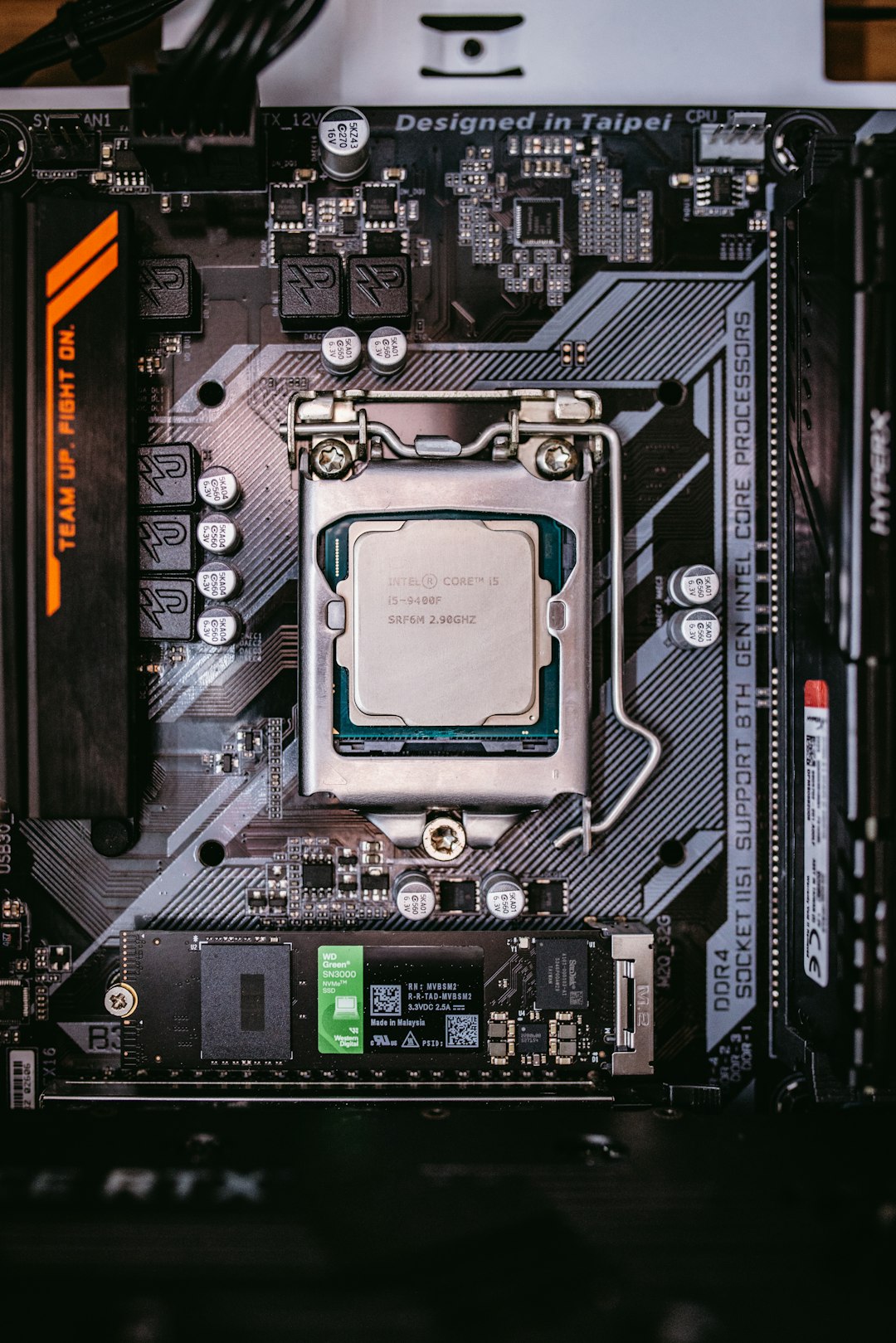
- NVMe SSD: A newer kind of solid state drive that usually plugs into an M.2 slot and communicates over PCIe lanes. It offers much higher bandwidth and lower latency than SATA SSDs.
In simple terms, an HDD is like searching through a filing cabinet by hand, a SATA SSD is like using a fast digital index, and an NVMe SSD is like having the files delivered instantly through a high-speed pipeline.

How Storage Affects Gaming Load Times
When you launch a game, load a save, enter a new area, or fast travel, the game needs to pull data from storage into memory. This includes textures, audio files, character models, map data, shaders, and scripts. The faster your drive can find and deliver that data, the quicker the game can move forward.
However, storage is only one part of the loading process. Your CPU may need to decompress files, your RAM must hold active game data, and your GPU may need to prepare assets for rendering. This is why upgrading from an HDD to an SSD can cut load times dramatically, while upgrading from a SATA SSD to a top-tier NVMe drive may not always feel as dramatic in older games.
Still, faster storage helps in several ways:
- Shorter initial game launches
- Faster level transitions
- Quicker fast travel
- Reduced texture pop-in in some games
- Smoother streaming in large open worlds
- Faster patching and file verification
HDD Gaming Performance: Cheap, Spacious, but Slow
HDDs were the standard for PC gaming for many years, and they still have one major advantage: capacity for the price. If you want several terabytes of space for a large game library, screenshots, videos, and backups, hard drives remain affordable.
But for load times, HDDs are clearly behind. A typical 7200 RPM hard drive may deliver sequential read speeds around 100 to 200 MB/s, but the bigger issue is latency and random access. Games are made of thousands of files, and a mechanical drive has to physically move its read head to find them. This causes noticeable delays.
On an HDD, you may experience:
- Longer boot times into Windows
- Slow game launches
- Lengthy loading screens
- More stutter when games stream assets in real time
- Slower installation, patching, and copying
For older or lightweight games, an HDD can still be acceptable. Strategy games, indie titles, retro games, and older RPGs may run just fine once loaded. But for newer AAA games, especially open-world titles, HDDs are increasingly becoming a compromise. Some modern games even list an SSD as a minimum requirement, not just a recommendation.
SATA SSD Gaming Performance: The Biggest Practical Upgrade
A SATA SSD is often the best value upgrade for anyone still using an HDD. Even though SATA is an older interface, the move from mechanical storage to flash memory is enormous. A typical SATA SSD tops out around 500 to 550 MB/s, but its real advantage is quick access to small files. Because there are no moving parts, it can jump between files almost instantly.
In actual gaming, this means the move from HDD to SATA SSD can feel transformative. Loading screens that took a minute may drop to 20 or 30 seconds. Fast travel becomes less annoying. Windows feels more responsive. Game launchers open faster. Even browsing large folders or updating games feels better.
The most important point: if you are gaming from an HDD, upgrading to any decent SSD is far more noticeable than many other storage-related improvements.
SATA SSDs are also very compatible. Most desktops and many laptops support 2.5-inch SATA drives, making them a safe option for older systems that do not have an M.2 NVMe slot. They are also affordable, reliable, and available in large capacities.

NVMe Gaming Performance: The Fastest Drive Type
NVMe SSDs are the high-performance choice. Instead of using the SATA interface, they connect through PCIe, allowing far higher bandwidth. A PCIe 3.0 NVMe SSD might read at 3,000 to 3,500 MB/s, while PCIe 4.0 drives can reach 7,000 MB/s or more. PCIe 5.0 drives go even higher, although they are often expensive and may need extra cooling.
On paper, NVMe drives crush SATA SSDs. In gaming load times, the difference is more nuanced. Many older games were not built to fully use NVMe speeds, so the difference between a SATA SSD and an NVMe SSD may be only a few seconds. For example, a game that loads in 45 seconds on an HDD might load in 18 seconds on a SATA SSD and 15 seconds on an NVMe SSD.
That does not mean NVMe is pointless. It means that game design matters. Modern consoles use fast NVMe-based storage, and newer PC games are increasingly built with faster asset streaming in mind. Technologies like Microsoft DirectStorage are designed to let games move compressed data from NVMe storage to the GPU more efficiently, reducing CPU overhead and improving asset loading.
NVMe drives also shine outside pure loading screens:
- Installing and moving large games
- Unpacking big updates
- Recording gameplay footage
- Running mods with large texture packs
- Handling big open-world games with heavy asset streaming
Real-World Load Time Differences
Benchmarks vary by game, system, and drive model, but the general pattern is consistent. The largest improvement is almost always from HDD to SSD. The improvement from SATA SSD to NVMe SSD is real, but usually smaller in traditional loading screens.
| Drive Type | Typical Gaming Load Time Experience | Best Use |
|---|---|---|
| HDD | Slowest load times, possible streaming stutter | Bulk storage, older games, backups |
| SATA SSD | Much faster than HDD, very responsive | Budget gaming upgrade, older PCs |
| NVMe SSD | Fastest overall, best future support | Modern gaming PCs, AAA games, OS drive |
For a practical example, imagine an open-world RPG with a large save file. On an HDD, loading into the world might feel slow and uneven, with textures appearing late after you spawn. On a SATA SSD, the same load could be much faster and smoother. On an NVMe SSD, it may be slightly faster again, with the best performance during fast travel and streaming-heavy moments.
Does NVMe Improve Frame Rate?
Usually, no—at least not directly. Your average FPS is mainly determined by the CPU, GPU, RAM, and game settings. Replacing an HDD with an SSD will not magically turn 45 FPS into 100 FPS.
However, storage can affect perceived smoothness. If a game streams assets while you move through the world, a slow drive may cause hitching, stutter, or delayed textures. In those situations, an SSD can improve the experience even if the FPS counter does not show a huge average increase.
This is especially relevant in games with enormous maps, high-resolution texture packs, and minimal loading screens. As more games are designed around SSD storage, drive speed will likely become more important for smooth gameplay, not just loading screens.
Capacity Matters More Than You Think
Speed is only part of the decision. Modern games are huge. Many AAA titles now require 80 GB, 100 GB, or even 150 GB of space. Add DLC, mods, shader caches, screenshots, and recorded clips, and a 500 GB drive can feel cramped quickly.
For most gamers, the sweet spot is:
- 1 TB NVMe SSD: Good minimum for a modern gaming PC
- 2 TB NVMe SSD: Better for large libraries and AAA games
- Large HDD: Useful as secondary storage for media, backups, and games you rarely play
If your budget is limited, a smaller NVMe or SATA SSD for your operating system and favorite games, paired with a large HDD for storage, can be a smart setup. You can move games between drives depending on what you are actively playing.
Which Drive Should You Buy for Gaming?
The best choice depends on your system, your budget, and your expectations.
If you are still using an HDD
Upgrade to an SSD as soon as possible. This is one of the most noticeable improvements you can make to a gaming PC. Even a budget SATA SSD will feel dramatically faster than a hard drive.
If you have an older PC without NVMe support
A SATA SSD is still an excellent gaming drive. You will not get the highest benchmark numbers, but you will get fast, consistent load times and much better responsiveness than an HDD.
If you are building or upgrading a modern PC
Choose an NVMe SSD, preferably at least 1 TB. PCIe 4.0 models often provide the best balance of price and performance. PCIe 5.0 drives are extremely fast, but for gaming alone, they are usually not necessary yet.
If you own a huge game library
Consider a hybrid approach: use an NVMe SSD for Windows and your most-played games, then use a large HDD or secondary SSD for overflow storage. This gives you speed where it matters and capacity where it saves money.
Final Verdict: NVMe Wins, but SSD Is the Real Requirement
So, which drive type gives the best gaming load times? The answer is NVMe SSD. It is the fastest storage option, the best fit for modern gaming PCs, and the most future-ready choice as games become more dependent on fast asset streaming.
But the most important upgrade is not necessarily from SATA SSD to NVMe—it is from HDD to any SSD. That jump delivers the biggest real-world improvement for most gamers. HDDs are still useful for inexpensive bulk storage, but they are no longer ideal for running modern games.
If you want the best balance today, install your operating system and favorite games on a 1 TB or 2 TB NVMe SSD. Keep an HDD only for backups, media, and less-played titles. You will spend less time waiting, reduce storage-related stutter, and give your PC a smoother, more modern gaming experience.