


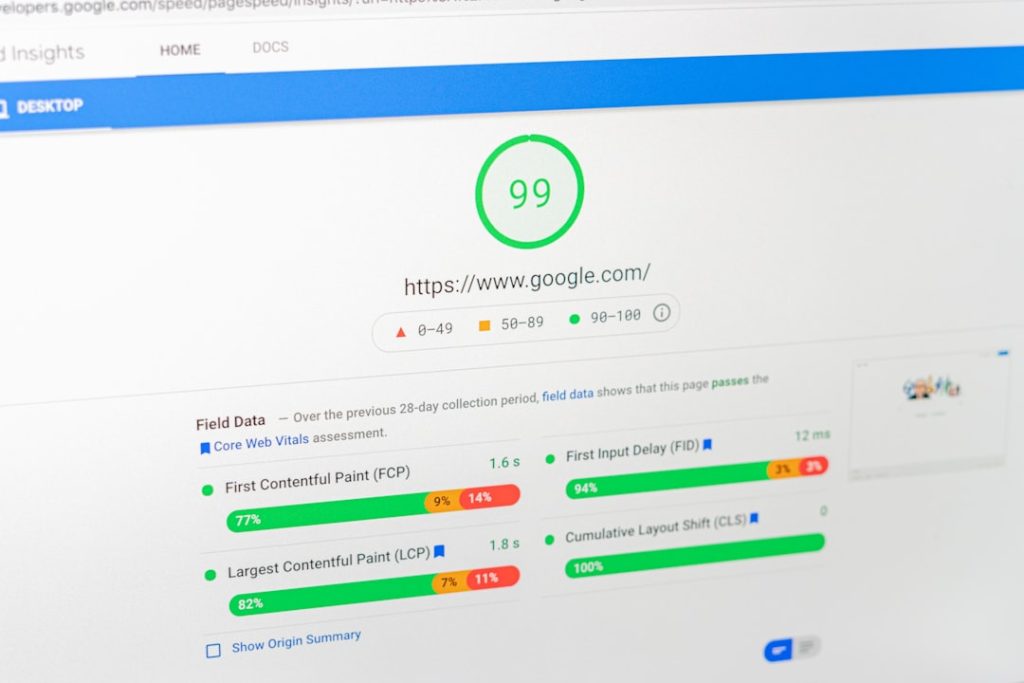
Fix the big three first: your server speed, your images, and your JavaScript. These usually hurt WordPress Core Web Vitals the most. Get them under control, and your site will feel faster right away.
TLDR: Improve LCP by speeding up hosting and optimizing hero images. Improve INP by cutting heavy plugins and extra JavaScript. Improve CLS by reserving space for images, ads, and fonts. For example, a small shop cut its mobile load time from 4.8 seconds to 2.1 seconds and saw product page exits drop by 23%.
What Core Web Vitals Actually Mean
Core Web Vitals are Google’s way of asking one simple question:
“Does this page feel good to use?”
There are three main scores to watch.
- LCP: Largest Contentful Paint. This checks how fast the main content appears.
- INP: Interaction to Next Paint. This checks how fast the page reacts when someone clicks or taps.
- CLS: Cumulative Layout Shift. This checks if the page jumps around like a caffeinated frog.
Your goal is simple.
- LCP: under 2.5 seconds.
- INP: under 200 milliseconds.
- CLS: under 0.1.
Now let’s clean up your WordPress site without making your brain melt.


1. Start With Better Hosting
Cheap hosting can be fine for a tiny blog. It can also be the reason your site loads like it is walking through mud.
Your host affects server response time. That affects LCP. If your server takes too long to answer, every other fix starts late.
Look for hosting with:
- Modern PHP support.
- Server level caching.
- NVMe storage.
- Good uptime.
- Data centers near your visitors.
Honestly, it feels silly to compress every image perfectly, then wait 900 milliseconds for the server to wake up. Fix hosting first if your server response time is poor.
2. Use a Lightweight Theme
Your theme is the outfit your site wears. Some outfits are sleek. Some come with 18 jackets, flashing shoes, and a fog machine.
Pick a theme that is built for speed. Avoid themes packed with sliders, animation effects, page builders, and features you will never use.
A good theme should:
- Load very little CSS.
- Use clean code.
- Work well on mobile.
- Skip bloated extras.
If your theme adds 40 scripts before your content even appears, your LCP and INP may suffer.
3. Compress and Resize Images
Images are often the biggest speed villain. Not a cool villain either. More like one that parks across two spaces.
Do not upload a 4000 pixel photo if it displays at 800 pixels. Resize it first. Then compress it.
Use modern formats when possible:
- WebP for most images.
- AVIF if your setup supports it well.
- SVG for simple icons and logos.
Your hero image matters most. It is often the LCP element. Make it sharp, but not huge.
Also add width and height attributes. This helps stop layout jumps. Your CLS score will thank you.
4. Lazy Load the Right Stuff
Lazy loading means images load only when needed. This helps the first screen appear faster.
WordPress has native lazy loading. That is good. But be careful.
Do not lazy load your main hero image. If the top image is delayed, your LCP gets worse. That is the opposite of fun.
Lazy load these instead:
- Images below the fold.
- Video embeds.
- Comment avatars.
- Gallery images lower on the page.
The catch is that some plugins lazy load everything without thinking. Check your site after turning it on.
5. Cut Plugin Bloat
Plugins are useful. Until they are not.
Each plugin can add CSS, JavaScript, database queries, tracking pixels, or background tasks. Some add all of them. Lovely.
Audit your plugins once a month. Ask:
- Do I still use this?
- Does it load files on every page?
- Can one plugin replace three smaller ones?
- Is there a lighter option?
Delete inactive plugins too. Do not just deactivate them and forget they exist.
It drives me crazy that one tiny social share plugin can add scripts to every page, even pages with no share buttons. Test before you trust.


6. Add Smart Caching
Caching saves ready made versions of your pages. This means the server does less work for each visitor.
Use a trusted caching setup for:
- Page caching.
- Browser caching.
- Object caching.
- Database caching if needed.
Page caching is the big one for most sites. It can turn a slow page into a much faster one.
After enabling cache, test your forms, cart, login pages, and search. Caching is great, but broken checkout pages are not great. They are wallet repellent.
7. Minify CSS and JavaScript
Minification removes extra spaces and unused bits from code files. This makes them smaller.
You can also combine files, but do this carefully. With modern HTTP/2 and HTTP/3, combining is not always needed.
Focus on these first:
- Minify CSS.
- Minify JavaScript.
- Remove unused CSS.
- Delay non critical JavaScript.
Delaying JavaScript can improve INP. It can also break menus, sliders, and popups if done badly. Test on mobile. Then test again.
8. Fix Render Blocking Files
Render blocking files stop the browser from showing the page right away. CSS and JavaScript are common causes.
The goal is to load only what is needed for the first screen. Everything else can wait a little.
Try this:
- Inline critical CSS.
- Defer non needed JavaScript.
- Load fonts with care.
- Remove old scripts from plugins and themes.
This helps the page paint sooner. That helps LCP.
9. Optimize Fonts
Fonts can be sneaky. They look harmless. Then they add extra requests and cause text shifts.
Use fewer font families. Use fewer weights. You probably do not need regular, medium, semi bold, bold, extra bold, and “thunder bold.”
Good font rules:
- Use system fonts if speed matters most.
- Host fonts locally when possible.
- Preload key font files.
- Use font-display: swap.
This can reduce blank text and visual shifts. Nice.
10. Stop Layout Shifts
CLS happens when things move after the page starts loading. It annoys users. It also hurts your score.
Common causes include:
- Images without size values.
- Ads that load late.
- Cookie banners.
- Web fonts swapping badly.
- Embeds from social media or video platforms.
Reserve space for anything that loads late. Set image dimensions. Give ad slots fixed sizes. Keep banners from pushing content down.
If users try to tap “Buy Now” and the button jumps away, they will not admire your site architecture. They will leave.
11. Use a CDN
A CDN stores copies of your files on servers around the world. Visitors get files from a nearby server.
This can help images, CSS, JavaScript, and fonts load faster. It is very useful if your audience is spread across countries.
A CDN can improve LCP, especially for image heavy sites. It also reduces stress on your main server.
12. Clean the Database
WordPress stores posts, settings, comments, drafts, transients, and plugin leftovers in the database.
Over time, it gets messy.
Clean out:
- Post revisions.
- Spam comments.
- Trash items.
- Expired transients.
- Old plugin tables.
Back up the database first. Always. Database cleanup is not the place to act brave.
Image not found in postmeta13. Test With the Right Tools
Use real data and lab tests. Both matter.
Good tools include:
- PageSpeed Insights for Core Web Vitals and field data.
- Google Search Console for site wide Core Web Vitals reports.
- WebPageTest for deeper waterfall checks.
- Chrome DevTools for script and layout issues.
Do not chase a perfect 100 score all day. That path is paved with coffee, regret, and tiny gains. Aim for fast pages that feel smooth to real users.
Your Simple WordPress Performance Checklist
- Upgrade slow hosting.
- Use a lightweight theme.
- Compress and resize images.
- Use WebP or AVIF.
- Do not lazy load the hero image.
- Remove unused plugins.
- Enable page caching.
- Minify CSS and JavaScript.
- Delay non critical scripts.
- Fix layout shifts.
- Optimize fonts.
- Use a CDN.
- Clean the database.
- Test changes after each fix.
Start small. Fix one thing. Test it. Then move to the next. WordPress speed work is not magic. It is cleanup, patience, and fewer bloated plugins trying to be the main character.