
A strong Delta 8 coupon landing page in WordPress should give shoppers the code, explain the offer, prove the store is compliant, and move the visitor to checkout in one or two clicks. The page should not be a thin post with a random promo code buried halfway down. It should act like a focused sales page built around one offer, such as 15% off Delta 8 gummies with code D8SAVE15, with clear age gates, product limits, shipping rules, and expiration dates.
TLDR: A Delta 8 Coupon landing page works best when it has one clear code, a bold call to action, compliant wording, and a simple WordPress layout. For example, a store that moved its coupon from a blog sidebar to a dedicated landing page could see click-through rates rise from 8% to 14% after adding a “Copy Code” button and product links. The page should also state age limits, restricted states, lab testing notes, and coupon terms near the offer.
Why a Dedicated Delta 8 Coupon Page Works
A dedicated coupon page removes friction. Visitors arrive with one goal: finding a working discount. If they must scroll through long product copy, popups, and vague banners, they leave. Honestly, it feels like some coupon pages are built to hide the deal rather than sell the product.
For Delta 8 brands, clarity matters even more. The product category has rules, age limits, state restrictions, and trust issues. A polished page can help the brand show professionalism while still pushing the offer.
A good page should answer four questions fast:
- What is the coupon code?
- How much does the shopper save?
- Which products qualify?
- Are there legal or shipping restrictions?
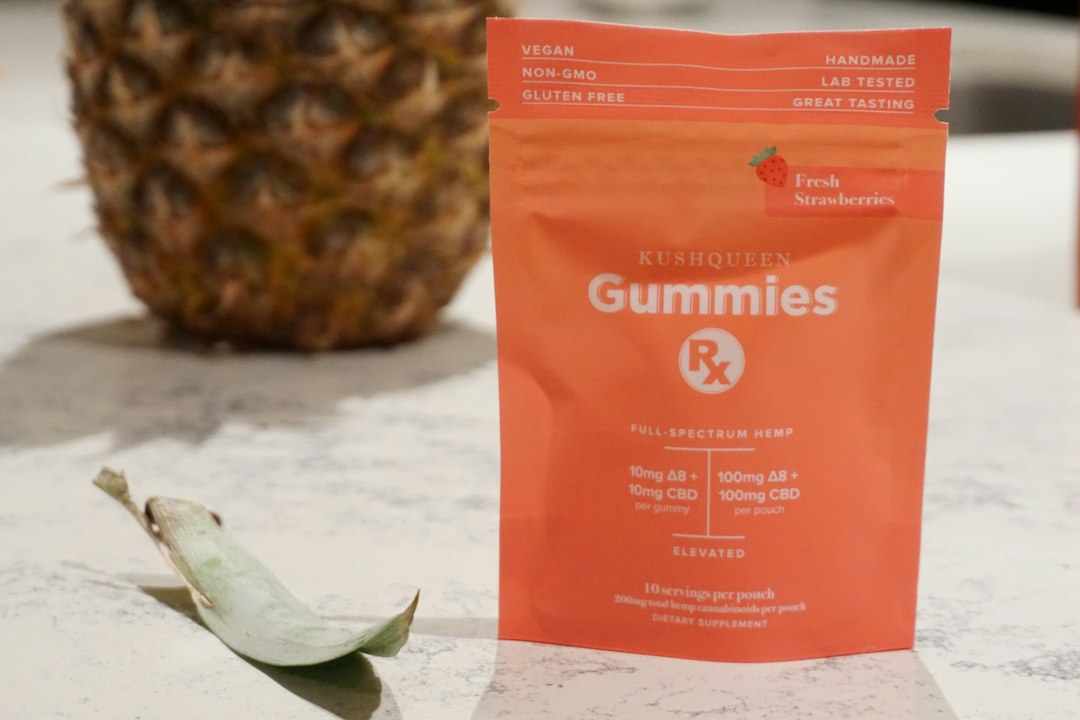
Step 1: Choose the Right Page Type in WordPress
The store owner should create a normal WordPress page, not a regular blog post. A page gives the offer a clean URL such as /delta-8-coupon/. That URL is easy to share in ads, email campaigns, affiliate placements, and search results.
The page can be built with the WordPress block editor, WooCommerce blocks, Elementor, Beaver Builder, or another page builder. The tool matters less than the structure. The layout should load fast, work well on mobile, and keep the coupon above the fold.
The catch is that some page builders add too much styling junk. A simple coupon block can take three extra seconds to load if the site uses heavy animations and unused scripts. For coupon traffic, speed beats fancy effects.
Step 2: Build the Coupon Hero Section
The top section should contain the main offer. This is where the visitor decides whether to stay.
A strong hero section may include:
- Headline: “Delta 8 Coupon Code: Save 15% Today”
- Subheadline: “Use code D8SAVE15 on eligible Delta 8 gummies, tinctures, and vape products.”
- Coupon box: A visible code with a copy button.
- CTA button: “Shop Eligible Products” or “Apply Coupon at Checkout.”
- Offer terms: Minimum order, expiration date, and exclusions.
The coupon code should be written in plain text as well as inside a button or box. Some users copy manually. Search engines can also read the code more easily when it is not hidden inside an image.
Step 3: Add Trust Signals for Delta 8 Buyers
Delta 8 shoppers often look for proof before buying. The landing page should not make medical claims. It should focus on product quality, third-party testing, clear labeling, and responsible sale practices.
Useful trust elements include:
- Lab report links for eligible products.
- Age requirement text, such as 21+ where applicable.
- Restricted state notices based on company policy and law.
- Secure checkout badges if accurate.
- Customer review snippets without health claims.
A short compliance box near the coupon can help. For example: “Delta 8 products are available only to eligible adults. Shipping restrictions apply. This coupon is valid only where products are legally sold.”
Step 4: Connect the Coupon to WooCommerce
Most WordPress stores use WooCommerce. The coupon should be created inside Marketing > Coupons in the WordPress dashboard. The store manager can set the discount type, usage limits, product categories, expiration date, and minimum spend.
For a Delta 8 coupon, careful settings are needed. The brand may want the code to apply only to Delta 8 gummies or only to full-price items. It may need to exclude subscriptions, bundles, wholesale orders, or items that cannot ship to certain regions.
Common settings include:
- Percentage discount: 10%, 15%, or 20% off.
- Fixed cart discount: $10 off orders over $75.
- Usage limit per user: One use per customer.
- Product category restriction: Delta 8 only.
- Expiration date: Clear end date for urgency.
If the store uses affiliate traffic, unique codes can be made for each partner. This also makes tracking cleaner.
Step 5: Add Copy Buttons and Tracking
A “Copy Code” button sounds small, but it can change user behavior. Visitors should not have to highlight text on a phone screen. That tiny task causes drop-offs.
The store can add a coupon plugin, a small JavaScript snippet, or a page builder widget that copies the code to the clipboard. After the click, the button should show a message such as “Code copied.”
Tracking should be added with Google Analytics, Matomo, or another analytics tool. The marketing team should track:
- Coupon copy clicks
- CTA clicks to product pages
- Checkout starts
- Completed orders using the code
- Revenue per visit
If the page gets 1,000 visits and only 40 users copy the code, the offer or layout may be weak. If 180 users copy the code but only 12 buy, the issue may sit in checkout, shipping rules, payment options, or product pricing.
Step 6: Write SEO Content Without Stuffing Keywords
The phrase Delta 8 Coupon should appear in the title, first paragraph, meta title, meta description, and at least one heading. Still, the page should read naturally. Keyword stuffing makes the brand look spammy.
Helpful SEO sections include:
- How to use the Delta 8 coupon code
- Eligible products
- Shipping and state restrictions
- Coupon expiration details
- FAQ section
The meta title can be direct: Delta 8 Coupon Code | Save 15% on Eligible Products. The meta description should mention the offer, terms, and a reason to click.
Step 7: Keep the Design Clean and Mobile First
Most coupon traffic comes from mobile. The coupon box should be large enough to tap. Buttons should have strong contrast. The page should not bury the code under popups, newsletter forms, or age prompts that fail on mobile.
A clean mobile flow could look like this:
- Visitor lands on the coupon page.
- Age gate appears if required.
- Coupon code appears at the top.
- Visitor taps “Copy Code.”
- Visitor taps “Shop Delta 8 Deals.”
- Checkout accepts the code.

Step 8: Test the Page Before Promotion
Before the page goes live, the team should test it like a buyer. The code must work. The expiration date must be correct. Product exclusions must match the page copy. Nothing kills trust faster than a coupon that fails at checkout.
The team should also test the page on iPhone, Android, tablet, and desktop. Forms, menus, popups, and copy buttons can behave differently across devices. Expect to waste time on small plugin conflicts, especially if the site already has multiple discount tools installed.
Suggested Landing Page Structure
- Hero offer: Coupon code, discount, and CTA.
- Quick terms: Expiration, minimum spend, and eligible items.
- Product grid: Best-selling Delta 8 items.
- Trust section: Lab reports, age policy, and shipping notes.
- How to use code: Three short steps.
- FAQ: Common coupon and compliance questions.
FAQ
What should a Delta 8 Coupon landing page include?
It should include the coupon code, discount amount, eligible products, expiration date, usage limits, age notice, shipping restrictions, and a clear button to shop or apply the code.
Can a WordPress coupon page rank in Google?
Yes. It can rank if it has a clean URL, useful content, fast loading speed, clear offer details, and search-friendly headings. The page should avoid thin content and repeated keyword stuffing.
Which WordPress plugin is best for coupon codes?
WooCommerce has built-in coupon features that work for many stores. Extra coupon plugins may help with copy buttons, advanced rules, auto-apply links, and affiliate tracking.
Should Delta 8 coupon pages include legal disclaimers?
Yes. The page should mention age requirements, shipping limits, and product restrictions. The wording should avoid medical claims and match current company policy.
How often should the coupon page be updated?
The page should be checked before every campaign and at least once per month. Expired codes, broken product links, and outdated shipping notes can reduce sales and trust.