
SSPM tools reduce SaaS security vulnerabilities by finding risky settings, exposed data, weak permissions, and suspicious app connections before attackers enjoy the buffet. Think of them as a security smoke alarm for tools like Google Workspace, Microsoft 365, Slack, Salesforce, GitHub, Zoom, and Jira.
TLDR: SSPM, or SaaS Security Posture Management, checks your cloud apps for unsafe settings and bad access rights. It spots issues like public file sharing, dormant admin accounts, and weak MFA rules. For example, a 250 person company might discover 47 risky SaaS settings in its first scan, including 12 users with admin powers they did not need. Fixing those gaps can cut common SaaS exposure by 30% to 60% in the first few weeks.
Why SaaS Security Gets Messy Fast
SaaS apps are easy to buy. Easy to connect. Easy to forget.
That is the problem.
A team signs up for a project tool. Sales adds a CRM plugin. Marketing connects a file app. HR turns on a new payroll platform. Soon, your company has a giant pile of cloud apps talking to each other like gossiping raccoons in a dumpster.
Some of those apps hold customer data. Some hold contracts. Some hold source code. Some hold employee records. And many are controlled by settings that nobody has checked since 2021.
Honestly, it feels like SaaS settings multiply when nobody is looking. One day MFA is required. The next day some exception appears for “temporary access.” That temporary access then celebrates its third birthday.
What Is SSPM?
SSPM stands for SaaS Security Posture Management.
That sounds fancy. The idea is simple.
An SSPM tool connects to your SaaS apps. It checks their settings. It reviews users, permissions, sharing rules, connected apps, and security controls. Then it tells you what is risky.
It does not just shout, “Something is bad!”
A good SSPM tool explains the problem. It ranks the risk. It shows who owns it. It gives steps to fix it. Some tools can even fix certain issues automatically.
That is useful because SaaS security is not one big dragon. It is 900 tiny gremlins wearing name badges.
The Big SaaS Problems SSPM Tools Catch
Most SaaS security issues come from simple mistakes. They are boring. They are common. They are also dangerous.
- Weak MFA rules: Some users can log in without multi factor authentication.
- Too many admins: People keep powerful access long after they need it.
- Public file sharing: Documents are open to anyone with a link.
- Risky third party apps: Unknown plugins can read mail, files, or calendars.
- Dormant accounts: Old users still have active access.
- Misconfigured audit logs: Logs are off, short, or hard to use.
- Shadow SaaS: Teams use tools that security never approved.
None of this sounds dramatic. No lasers. No hacker hoodie montage. Just settings.
But attackers love bad settings. They are cheap doors.
How SSPM Lowers Risk
1. It gives one clear view.
Without SSPM, security teams bounce between admin panels. Google here. Salesforce there. Slack somewhere else. It drives me crazy that finding one sharing rule can take 14 clicks, three tabs, and a tiny gear icon that looks like it was designed by a bored ant.
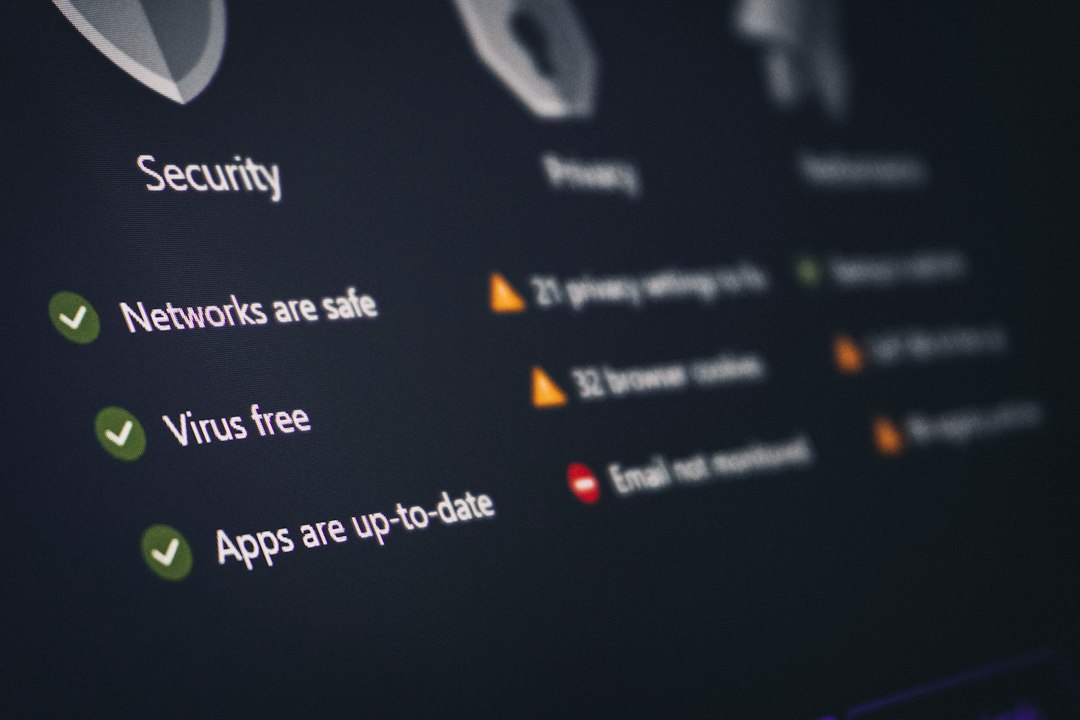
SSPM puts the risky stuff in one place. You see which apps are safe. You see which apps are weird. You see which ones are basically waving a red flag.
2. It checks settings all the time.
A manual audit is useful. For about five minutes.
Then someone changes a setting. Someone adds a user. Someone approves a plugin. Boom. The audit is stale.
SSPM keeps watching. It detects changes. It alerts teams when a safe setting becomes unsafe. This helps stop small mistakes before they become breach stories.
3. It finds excessive permissions.
People collect permissions like fridge magnets.
A user joins a project. They get admin access. The project ends. The access stays. Months later, that account gets phished. Now the attacker has a golden ticket.
SSPM tools flag users with too much power. They can show inactive admins, external guests, and users with access outside their job role.
Less access means less damage. Simple math. Happy math.

SSPM Helps With Third Party App Risk
SaaS apps love integrations. Teams love them too. One click and your calendar talks to your CRM. Your helpdesk talks to Slack. Your notes app talks to everything, including maybe the toaster.
The issue is consent.
Many third party apps ask for broad permissions. Some can read email. Some can manage files. Some can act as a user. That is a lot of trust for a plugin named “Super Meeting Helper 3000.”
SSPM tools inspect these connected apps. They show what each app can access. They flag risky scopes. They identify apps with low usage but high permissions.
That makes cleanup easier. You can remove dead integrations. You can block unsafe ones. You can require approval before new apps connect.
SSPM Makes Compliance Less Painful
Compliance can feel like paperwork wearing steel boots.
SSPM helps by mapping SaaS settings to common security standards. This may include SOC 2, ISO 27001, HIPAA, PCI DSS, or CIS benchmarks.
Instead of hunting through each app, teams can generate reports. They can show which controls are passing. They can show which ones need work. They can track fixes over time.
This does not make audits fun. Let’s not get silly. But it can make them less awful.
SSPM Turns Alerts Into Fixes
Good SSPM tools do more than detect issues. They help teams fix them.
Look for features like:
- Risk scoring: So teams know what to fix first.
- Clear remediation steps: Plain instructions beat mystery alerts.
- Owner assignment: Each issue gets sent to the right person.
- Automated fixes: Some settings can be corrected with approval.
- Ticketing links: Issues can flow into Jira, ServiceNow, or similar tools.
- Change tracking: Teams can see who changed what and when.
This matters because security teams are busy. They do not need another blinking dashboard that says “good luck.” They need useful tasks.
A Simple Example
Picture a company called Acme Snacks. They sell chips. The spicy ones are excellent.
Acme uses Microsoft 365, Slack, Salesforce, Zoom, and GitHub. The IT team runs an SSPM scan.
The scan finds:
- 18 users without MFA.
- 9 former contractors still active.
- 27 public Google Drive links.
- 6 Salesforce admins who only need read access.
- 14 third party apps with broad mailbox permissions.
That is not unusual. It is normal SaaS clutter.
Within two weeks, Acme fixes the MFA gaps. It removes old accounts. It cuts admin rights. It blocks risky plugins. It also creates a rule that flags public sharing within 10 minutes.
No magic. Just visibility and cleanup.

Why SSPM Beats Spreadsheets
Some teams try to manage SaaS security with spreadsheets.
That works for a tiny setup. Maybe.
But SaaS changes too fast. Users join. Users leave. Apps connect. Settings drift. Permissions grow. A spreadsheet becomes stale before the coffee gets cold.
SSPM tools update continuously. They catch drift. They reduce manual work. They also give security teams proof that controls are working.
That proof matters. Leaders want numbers. Auditors want evidence. Security teams want fewer fires.
What To Look For In An SSPM Tool
Not every tool is equal. Some are sharp. Some are noisy. Some create enough alerts to make your inbox cry.
Choose an SSPM tool that offers:
- Wide SaaS coverage: It should support your main business apps.
- Deep configuration checks: Surface level scans are not enough.
- Identity insight: It should connect users, roles, groups, and access.
- Integration review: Third party app risk must be visible.
- Useful prioritization: Critical issues should rise to the top.
- Simple workflows: Fixes should be easy to assign and track.
Also check how fast it syncs. If risky changes take hours to appear, that delay can hurt. Fast detection is not a nice extra. It is the whole point.
The Bottom Line
SSPM tools help reduce SaaS security vulnerabilities by making hidden risks visible. They catch weak settings, bad permissions, risky integrations, and old accounts. They also help teams fix problems in a sane order.
SaaS will keep growing. More apps will appear. More settings will drift. More people will click “allow” without reading the permissions.
SSPM gives security teams a fighting chance. It turns SaaS chaos into a checklist. And sometimes, a checklist is exactly what keeps the raccoons out of the dumpster.