
Mailchimp is usually the stronger choice for polished, measurable internal newsletters, while Microsoft Outlook is better for quick, low-friction staff updates. A company that needs tracking, templates, segmentation, and repeatable publishing will get more control from Mailchimp. A team that only needs a simple message sent to staff can stay inside Outlook and avoid extra setup.
TLDR: Mailchimp works best when the newsletter is treated like an internal communication product, with open rates, clicks, layouts, and audience groups. Outlook works best for short notices, manager updates, and messages that feel like normal workplace email. For example, a 500-person company might see a 68% open rate and a 22% click rate in Mailchimp, while Outlook may show only delivery and replies unless extra tools are added. If the newsletter affects culture, HR engagement, or leadership visibility, Mailchimp usually wins.
Mailchimp vs Outlook: the quick decision
Internal newsletters often fail for boring reasons. The layout breaks. The subject line gets ignored. Nobody knows who read it. Someone copies a giant email list by hand and hopes for the best. It drives people a little crazy when a newsletter takes 45 minutes to format in Outlook, then arrives with stretched images and odd spacing.
That is where the choice matters. Mailchimp is made for designed email campaigns. Microsoft Outlook is made for everyday business communication. Both can send an internal newsletter. They just serve different goals.
- Choose Mailchimp for analytics, design control, scheduled sends, audience segments, and repeatable templates.
- Choose Outlook for speed, familiarity, simple announcements, and smaller employee groups.
- Use both when leadership updates need a polished monthly edition, while urgent notices stay in Outlook.

Where Mailchimp performs better
Mailchimp gives internal communications teams more structure. A newsletter can be built from a reusable template, tested, scheduled, and reviewed after it is sent. That matters when HR, operations, or leadership wants proof that employees are reading key updates.
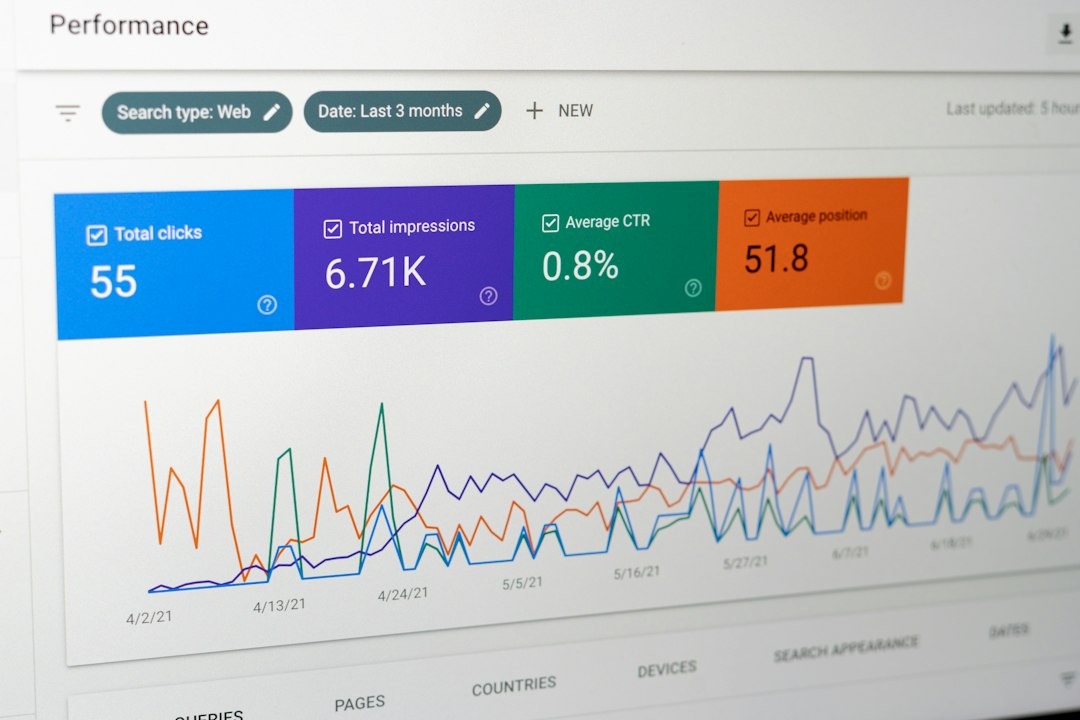
Analytics are the biggest win. Mailchimp can show opens, clicks, bounces, device type, and link performance. If a CEO update includes a link to a benefits survey, the communications team can see whether staff clicked it. That is much better than guessing.
Mailchimp also supports segmentation. A company can send one version to managers, another to remote employees, and another to frontline staff. This helps reduce clutter. People are more likely to read messages that feel relevant to their role.
Design is another advantage. Mailchimp templates can include branded headers, buttons, article blocks, images, event sections, and calls to action. The final email often looks more professional than a long Outlook message. For companies trying to improve employee trust, that polish helps.
The catch is that Mailchimp adds process. Lists must be managed. Permissions must be checked. Templates must be built. Internal contacts may need regular syncing. For a small company, that can feel like too much tool for a simple Friday update.
Where Outlook performs better
Outlook wins on convenience. Most employees already use it every day. A sender can write a message, add a distribution list, attach a file, and send. There is no new platform to learn. There is no campaign setup. There is no separate login.
For urgent notices, Outlook is often the smarter option. Office closures, IT outages, policy reminders, and manager notes do not always need a designed newsletter. They need to arrive fast and look familiar.
Outlook also feels more personal. A message from the CEO or HR director may get better attention when it appears like a regular email rather than a marketing-style campaign. Employees may reply directly. That can support conversation, not just broadcasting.
Still, Outlook has limits. Formatting can be painful. Images may not display as planned. Large distribution lists can be awkward. Tracking is weak unless the company uses extra Microsoft tools. Honestly, it feels like Outlook was never built for a recurring newsletter with sections, buttons, and performance reporting.
Feature comparison
| Feature | Mailchimp | Microsoft Outlook |
|---|---|---|
| Email design | Strong templates and branded layouts | Basic formatting, less predictable rendering |
| Analytics | Open rates, clicks, bounces, link data | Limited without extra Microsoft tools |
| Ease of use | Simple after setup, but needs list management | Very familiar for most staff |
| Personal feel | Can feel more formal or campaign-like | Feels like normal workplace email |
| Best use | Monthly newsletters, HR campaigns, leadership updates | Quick updates, alerts, manager messages |
Employee engagement and measurement
Measurement changes the conversation. Without data, internal newsletter planning often turns into opinion. One manager thinks nobody reads it. Another says the subject line is fine. A third wants more photos. Nobody can prove much.
Mailchimp fixes part of that problem. If the newsletter open rate drops from 72% to 49%, the team can react. If employees click training links but ignore policy PDFs, the next edition can be adjusted. If Tuesday morning gets better opens than Friday afternoon, the send time can change.
Outlook can still work for engagement, but feedback is more manual. Teams may rely on replies, Teams comments, intranet traffic, or employee surveys. That can be enough for small teams. It is thin for larger companies.
Security, privacy, and data concerns
Internal newsletters may include sensitive information. That includes employee programs, financial updates, office changes, hiring plans, or leadership messages. Because of that, security review matters.
Outlook has an advantage when the company already uses Microsoft 365 with internal controls, admin policies, and employee accounts. Messages stay inside a familiar system. IT teams often prefer that.
Mailchimp may require extra review. Employee email addresses are stored in a third-party platform. The company should check data processing terms, access controls, user permissions, and regional privacy rules. This is not a reason to reject Mailchimp. It is a reason to set it up properly.
Cost and maintenance
Outlook may appear free because it is already included in Microsoft 365. That makes it attractive. But hidden costs can appear in staff time. If one person spends hours adjusting layouts, fixing lists, and sending test emails, the “free” option is not always free.
Mailchimp can add subscription costs, especially as contact lists grow. Yet it can save time through templates, scheduling, saved content blocks, and cleaner reporting. A communications team sending weekly newsletters to 1,000 employees may recover that cost through efficiency alone.
Best practice: match the tool to the message
The smartest approach is not always one tool only. Companies can set rules based on message type.
- Use Mailchimp for planned newsletters, culture stories, employee spotlights, benefits campaigns, and leadership recaps.
- Use Outlook for urgent alerts, team-level messages, short reminders, and sensitive internal notes.
- Use Microsoft Teams or the intranet as a backup channel for content that needs discussion or long-term access.
A practical rhythm might include a monthly Mailchimp newsletter from internal communications, weekly Outlook updates from department heads, and urgent alerts from IT or HR through Outlook and Teams. That keeps each channel clear.

Final recommendation
Mailchimp is the better choice when an internal newsletter needs to look good, reach different employee groups, and produce useful analytics. Outlook is the better choice when speed, simplicity, and familiarity matter more than reporting or design.
For a growing company, Mailchimp often becomes more useful once the employee count passes 150 to 200 people. At that size, guessing who read what becomes risky. For a smaller team, Outlook may be enough if the newsletter is short and consistent.
The main rule is simple. If the newsletter is a strategic channel, Mailchimp is worth serious consideration. If it is just an internal note, Outlook is usually fine.
FAQ
Is Mailchimp allowed for internal company newsletters?
Yes, many companies use Mailchimp for internal newsletters. The company should review privacy, security, and employee data rules before adding staff email addresses.
Can Outlook track newsletter open rates?
Outlook does not provide strong newsletter analytics by default. Read receipts exist, but they are unreliable and can annoy employees. Better reporting usually needs extra Microsoft tools or another platform.
Which tool is better for HR newsletters?
Mailchimp is usually better for HR newsletters that include benefits links, event signups, policy reminders, and employee stories. Outlook works well for short HR notices.
Does Mailchimp make internal emails look too much like marketing?
It can, if the design is too flashy. A clean internal template with plain language, company branding, and useful links usually feels professional rather than promotional.
What is the best sending frequency for an internal newsletter?
A monthly newsletter works for many companies. Weekly can work if there is enough useful content. If employees start ignoring it, the send rate may be too high or the content may be too broad.