
Interviews are powerful. They capture stories, ideas, and emotions in real time. But memories fade fast. That’s why interview recording software is so important. It helps you record, save, and revisit conversations whenever you need them. Whether you are a journalist, recruiter, student, or podcaster, the right tool can make your life much easier.
TLDR: Interview recording software helps you capture conversations clearly and safely. It saves time with features like automatic transcription and cloud storage. The best tools are easy to use, reliable, and secure. Pick one based on your needs, your budget, and where you record.
Let’s break it down in a fun and simple way.
What Is Interview Recording Software?
Interview recording software is a tool that records audio or video conversations. That’s it. Simple idea. Powerful impact.
But modern tools do much more than just record. They can:
- Transcribe speech into text automatically
- Store files in the cloud
- Reduce background noise
- Share recordings easily
- Organize interviews with tags and folders
Instead of juggling notebooks and voice memos, everything lives in one place.
Who Needs It?
You might think only journalists use it. Not true.
Here’s who benefits most:
- Journalists – For news stories and features.
- Podcast hosts – For guest interviews.
- HR managers – For job interviews.
- Researchers – For studies and field work.
- Students – For academic projects.
- Content creators – For YouTube, blogs, and courses.
If you ask questions and care about the answers, this software is for you.
Why Not Just Use a Regular Voice Recorder?
Good question.
Basic recorders work fine for simple tasks. But interview recording software adds serious advantages.
Here’s what makes it special:
- High-quality audio tuning
- Dual-channel recording for clearer speaker separation
- Auto-transcription that saves hours of typing
- Searchable text within recordings
- Secure backups so you never lose files
Time is money. And typing interviews manually takes forever.
Key Features to Look For
Not all tools are created equal. Before you choose one, check for these features.
1. Clear Audio Quality
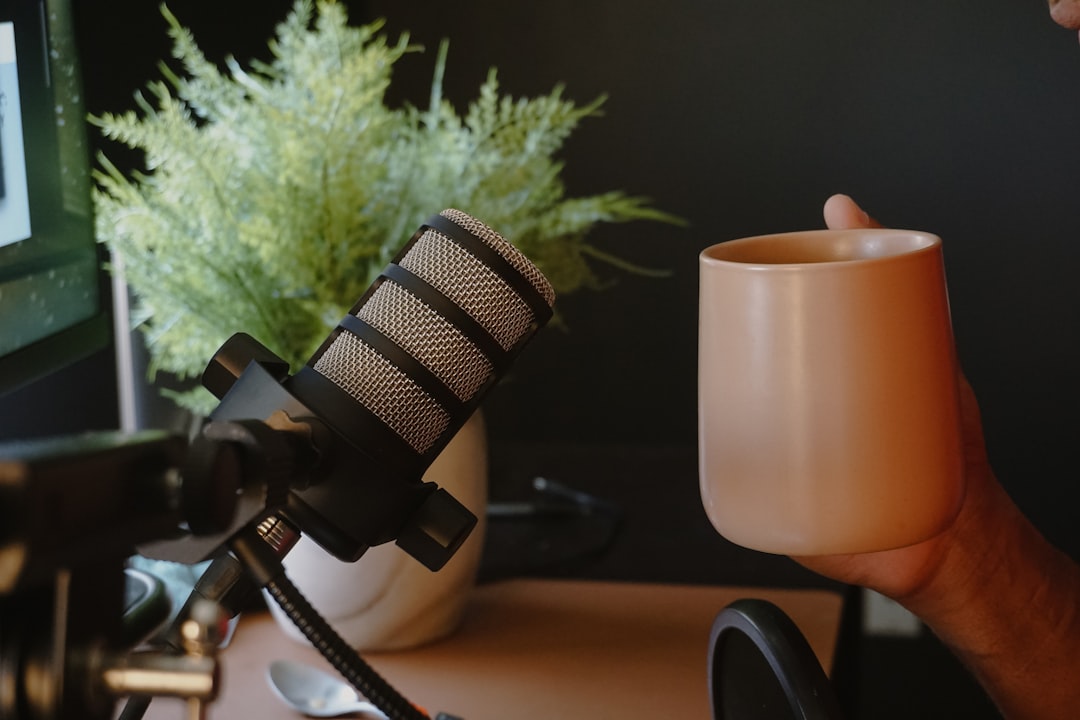
Clarity is everything. If you can’t understand the words, the recording is useless.
Look for:
- Noise reduction
- Echo cancellation
- HD audio support
2. Automatic Transcription
This is a game changer.
The software converts speech into text within minutes. Some tools even label different speakers automatically.
Benefits include:
- Faster editing
- Easy quote extraction
- Searchable keywords
- Accessible content for teams
3. Cloud Storage
Imagine losing an important interview. Nightmare.
Cloud storage keeps your recordings safe and accessible from anywhere.
This is perfect for remote teams.
4. Multi-Device Support
You may interview someone on:
- A laptop
- A smartphone
- A tablet
- A desktop setup
Choose software that syncs across devices smoothly.
5. Security and Privacy
Interviews often contain sensitive information.
Look for:
- End-to-end encryption
- Password protection
- Secure data storage policies
This is especially important for HR and medical research.
Types of Interview Recording Software
There are different types depending on your needs.
Audio-Only Recorders
Great for phone interviews and podcasts.
Pros:
- Smaller file sizes
- Quick uploads
- Easy editing
Cons:
- No visual cues
Video Interview Recorders
Perfect for remote job interviews and YouTube content.
Pros:
- Captures facial expressions
- More engaging content
Cons:
- Larger file sizes
- Needs strong internet
Call Recording Software
Useful for phone and VoIP interviews.
Often used in:
- Sales
- Customer support
- Remote journalism
Benefits You’ll Notice Immediately
Once you start using interview recording software, you’ll wonder how you survived without it.
1. Less Stress
No more frantic note-taking. Just focus on the conversation.
2. Better Listening
When you are not busy writing, you hear more. You ask better follow-up questions.
3. Stronger Content
Accurate quotes make your work more credible.
4. Time Saved
Automatic transcription can reduce editing time by hours.
How to Prepare for a Recorded Interview
Software helps. But preparation still matters.
Follow these simple steps:
- Test your equipment before starting.
- Choose a quiet environment.
- Inform the interviewee that you are recording.
- Check your internet for remote calls.
- Have backup storage just in case.
Common Mistakes to Avoid
Even great software cannot fix poor planning.
Watch out for these mistakes:
- Forgetting to press record (yes, it happens)
- Low battery
- Background noise from traffic or crowds
- Ignoring legal consent rules
Always check local laws on recording conversations. Some places require both parties to consent.
Free vs Paid Software
Should you pay?
It depends.
Free Tools
Best for beginners.
They offer:
- Basic recording
- Limited storage
- Few export options
Good for small projects.
Paid Tools
Better for professionals.
They often include:
- Unlimited recordings
- Advanced transcription
- Team collaboration features
- Priority support
If interviews are part of your job, paid software is a smart investment.
How Interview Recording Software Improves Hiring
Recruiters love it. And for good reason.
With recordings:
- Hiring managers can review candidates again
- Teams can collaborate on decisions
- Bias can be reduced through replay and analysis
It also helps candidates feel heard. Nothing gets missed.
How It Helps Content Creators
For podcasters and YouTubers, quality matters.
Recording software allows:
- Clean edits
- Highlight clips
- Caption generation
- Easy publishing
Captions alone can increase engagement dramatically.
The Future of Interview Recording
The technology keeps getting smarter.
Expect:
- AI-generated summaries
- Automatic highlight detection
- Real-time translation
- Emotion detection insights
Soon, you may finish an interview and get a full written article draft instantly.
Pretty impressive.
Final Thoughts
Interview recording software is no longer optional. It’s essential.
It saves time. It improves accuracy. It reduces stress.
Most importantly, it lets you focus on what truly matters — the conversation.
And great conversations deserve to be captured the right way.
Choose a tool that fits your style. Test it. Use it often. Improve your workflow.
Your future self will thank you when you can replay that perfect quote or catch that tiny detail you almost missed.
Because in interviews, every word counts.