
Profitable paid search starts with keyword control: choose terms that match buyer intent, split them into clean groups, block waste with negatives, and fund the keywords that prove they can convert at an acceptable cost.
TLDR: Build keyword lists from real customer language, not guesswork, then segment them by intent, product, location, and match type. Review search term reports every week and add negative keywords before waste compounds. For example, a B2B software advertiser spending $12,000 per month cut nonqualified clicks by 31% after excluding “free,” “template,” and student-related searches, while reallocating budget to exact-match demo keywords that converted at 18% lower CPA. Prioritize keywords by profit, not traffic volume.
Start with intent, not volume
High search volume can look impressive in a keyword planner. It can also drain a budget fast. A query with 20,000 monthly searches is not useful if most users want free advice, jobs, PDFs, or definitions.
Group keywords by the job the searcher wants done. Most paid search terms fall into four intent buckets:
- Purchase intent: “buy accounting software,” “emergency plumber near me,” “book tax consultation.”
- Comparison intent: “best CRM for small business,” “HubSpot vs Salesforce pricing.”
- Problem intent: “how to reduce payroll errors,” “why is my AC leaking.”
- Research intent: “what is cloud ERP,” “marketing automation examples.”
Purchase and comparison keywords usually deserve stronger bids. Problem and research keywords may work, but they need tighter budgets, better landing pages, and realistic expectations. Honestly, it feels like many accounts fail because all four types get dumped into one ad group and judged by the same CPA target.

Build keyword lists from multiple reliable sources
A strong keyword set rarely comes from one tool. Use several sources, then clean the list with discipline.
- Customer interviews: Sales calls, support tickets, chat logs, and CRM notes reveal exact phrases buyers use.
- Search term reports: These show what users actually typed before clicking your ads.
- Website search data: Internal site searches can expose product names, feature needs, and objections.
- Competitor pages: Product categories, comparison pages, and page titles can suggest commercial phrases.
- Google Ads Keyword Planner: Useful for variants, volume ranges, and bid estimates, but not a final authority.
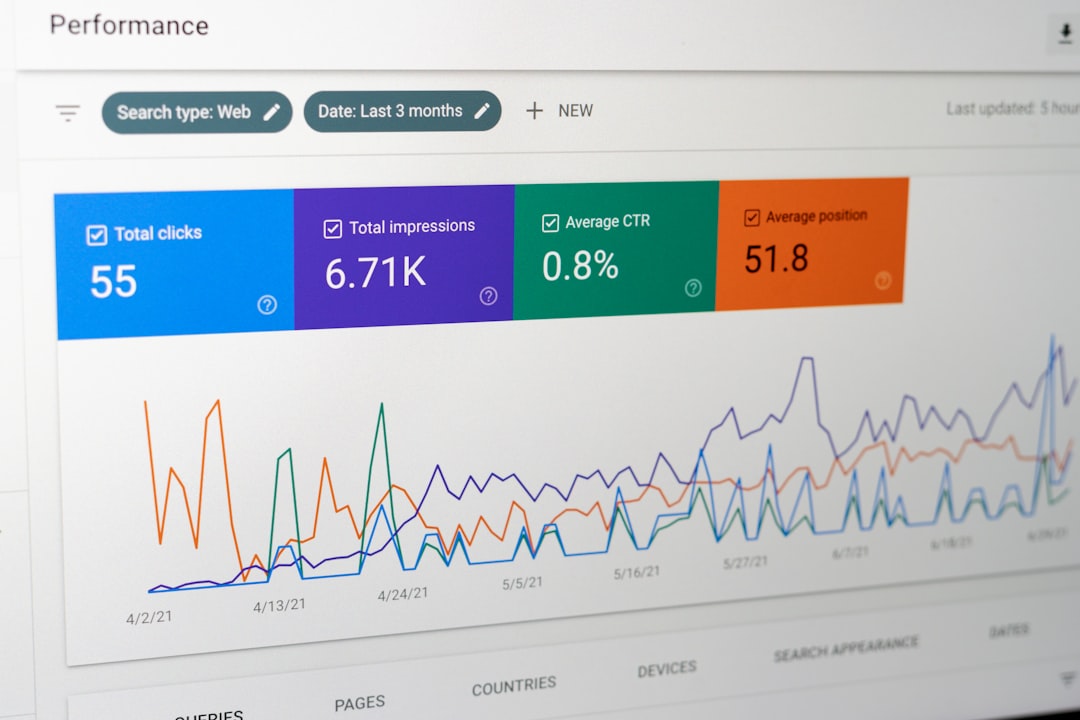
- Organic search data: Queries from Search Console often show language that already brings relevant visitors.
Remove weak terms early. If a keyword is vague, too broad, or unrelated to a sale path, do not keep it just because a tool suggested it. Keyword tools are helpful, but they are messy. Expect to waste time on duplicates, strange plural forms, and intent conflicts that should have been obvious.
Use match types with a clear purpose
Match types decide how much control you keep. Use them with intent, not habit.
- Exact match: Best for proven terms where the query is closely tied to revenue. Use this for core money keywords.
- Phrase match: Useful for controlled expansion. It can catch valuable variations while keeping context.
- Broad match: Riskier, but it can work with strong conversion tracking, smart bidding, and strict negative lists.
For new campaigns, begin with exact and phrase match around high-intent terms. Add broad match only when you have clean conversion data and enough budget to learn. If tracking is weak, broad match can create expensive noise.
Segment keywords into tight ad groups
Segmentation improves relevance. Relevance improves click-through rate, Quality Score, landing page alignment, and conversion rate. Keep each ad group focused on one core idea.
Good segmentation options include:
- Product or service: Separate “commercial HVAC repair” from “residential AC repair.”
- Buyer stage: Keep “pricing” and “demo” terms apart from “how to” searches.
- Location: Split campaigns by city, region, or service area when pricing and demand differ.
- Audience type: Segment enterprise, small business, consumer, reseller, or government searches.
- Brand versus nonbrand: Always separate your brand terms from generic category terms.
- Competitor terms: Isolate these because costs, intent, and messaging rules differ.
Do not create hundreds of tiny ad groups without enough data. That creates management drag. A useful rule is simple: if the same ad and landing page can serve the keywords well, they can often stay together. If not, split them.

Write ads that mirror the keyword group
Keywords cannot carry the campaign alone. The ad must confirm that the searcher is in the right place. Use the main keyword theme in the headline when natural. Mention proof, price signals, service area, or speed if those points affect buying decisions.
For example, an ad group for “same day appliance repair” should not send traffic to a generic home services page. The ad should mention same-day availability. The landing page should show covered appliances, service areas, booking steps, and trust signals. This reduces doubt and wasted clicks.
Build negative keyword lists before launch
Negative keywords protect budget. They tell the ad platform when not to show your ads. This is one of the fastest ways to improve account efficiency.
Start with common negative categories:
- Free seekers: free, no cost, sample, template, open source.
- Job hunters: jobs, salary, careers, hiring, resume.
- Education searches: course, class, degree, certification, school.
- DIY intent: how to, tutorial, instructions, homemade, repair yourself.
- Wrong audience: consumer, enterprise, wholesale, used, cheap, depending on your offer.
- Support-only queries: login, manual, warranty, customer service, phone number.
Use shared negative lists for account-wide exclusions. Use campaign-level negatives when a term is wrong for one campaign but useful for another. Use ad group negatives to prevent internal keyword overlap, especially when similar ad groups target different intent levels.
Be careful with aggressive negatives. Blocking “cheap” might make sense for a premium legal firm. It may hurt a discount retailer. Blocking “reviews” may remove poor traffic for one advertiser and strong comparison traffic for another.
Check search terms every week
Search term reviews are not glamorous. They are necessary. In active accounts, review them weekly. In high-spend accounts, check them two or three times per week.
Look for three things:
- Waste: Queries that spend money without qualified intent.
- Winners: Search terms that convert and deserve exact-match keywords.
- Gaps: New themes that need separate ads, landing pages, or campaigns.
A practical threshold helps. If a search term has spent more than your target CPA without a conversion, review it. If it has multiple conversions below target CPA, promote it into its own exact-match keyword and consider raising bids.
Prioritize by profit, not clicks
Clicks are not the goal. Revenue is closer. Profit is better.
Prioritize keywords using metrics that connect to business results:
- Conversion rate: Shows how often clicks become leads or sales.
- Cost per acquisition: Measures efficiency against your target.
- Average order value: Helps separate low-value wins from real growth.
- Lead quality: For B2B, check pipeline stage, close rate, and deal size.
- Return on ad spend: Useful for ecommerce, but only if revenue tracking is accurate.
- Margin: A keyword with lower revenue may still win if margins are stronger.
Say one keyword drives 80 conversions at $40 CPA, but the average sale is $90 with thin margin. Another drives 25 conversions at $90 CPA, but those customers average $900 in revenue. The second keyword may deserve more budget. The account interface may not make that obvious, which is irritating when one extra report export takes 30 seconds and breaks your flow.
Use a simple priority framework
Rank keywords into four groups:
- Scale: Profitable, enough volume, stable conversion data. Increase budget and test higher bids.
- Protect: Profitable but limited volume. Keep coverage high and watch competitors.
- Test: Promising intent but limited data. Use controlled budgets and clear targets.
- Cut or restrict: Poor intent, weak conversion rate, or high CPA. Lower bids, add negatives, or pause.
This keeps decisions consistent. It also reduces emotional bidding. A keyword should not get more budget because it “feels strategic.” It should earn budget through qualified traffic, conversion data, and margin.
Maintain keyword quality over time
Paid search keyword work is not a one-time setup. Markets shift. Competitors change offers. Search behavior changes. Your product mix may change too.
Set a monthly routine. Refresh negative lists. Review low-quality spend. Promote converting search terms. Pause weak variants. Check landing page fit. Compare lead quality against CRM data. For ecommerce, review product margin and return rates by campaign.
The best accounts are rarely the ones with the biggest keyword lists. They are the ones with the clearest structure, the strongest exclusions, and the fastest feedback loop between search data and business results. Build that system, and paid search becomes easier to control, easier to scale, and far more likely to produce profitable growth.